Bullpen.
From a shipped zero-to-one product (V2, Coditas) to a 2026 conceptual architectural refresh (V3) — independent post-Coditas work.
Client
Salesync
Role
UX Designer
Surface
Web · B2B SaaS · Live calls
Process
- Discover
- MVP Testing
- Affinity Mapping
- V2 Ship
- V3 Evolution
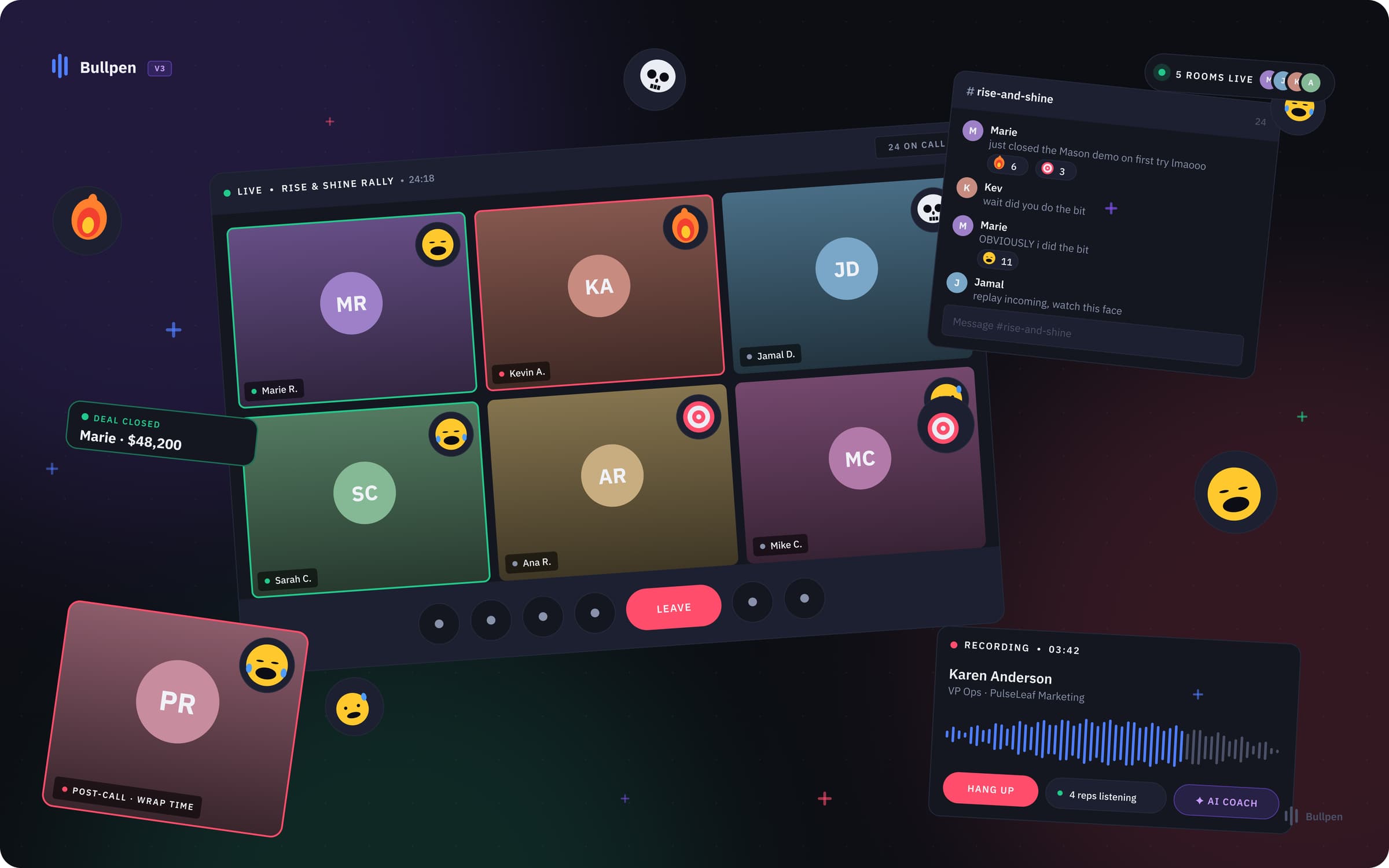
The arc · Point A → Point B
A — Where it started
A fragmented workflow relying on a $250/mo external tool (CallBlitz) with a painful 22-click onboarding process.
B — Where it landed
A fully native, seamlessly integrated collaborative space, conceptually evolved in 2026 for a modern, high-performance aesthetic.
What it moved
The numbers, in plain sight.
22 → 3
Onboarding clicks (V1)
0%
Task Success (V1 Test)
0
SUS overall (V1 Test)
0
Design Systems
The story · 6 chapters
How Bullpen went from point A to point B.
Brief
The $250-per-month problem.
❝Salesync helps teams bypass voicemails and gatekeepers, routing reps straight to live calls. But the platform lacked a crucial piece: built-in collaboration.
To get coaching or share sessions, teams were forced to rely on an external tool called CallBlitz. This cost the business $250 per user/month, introduced massive workflow fragmentation, and subjected users to a frustrating 22+ click onboarding sequence just to listen to a call. The goal was clear: bring collaboration natively inside the workflow.
Pull-out · Brief
$250/mo
External tool cost eliminated
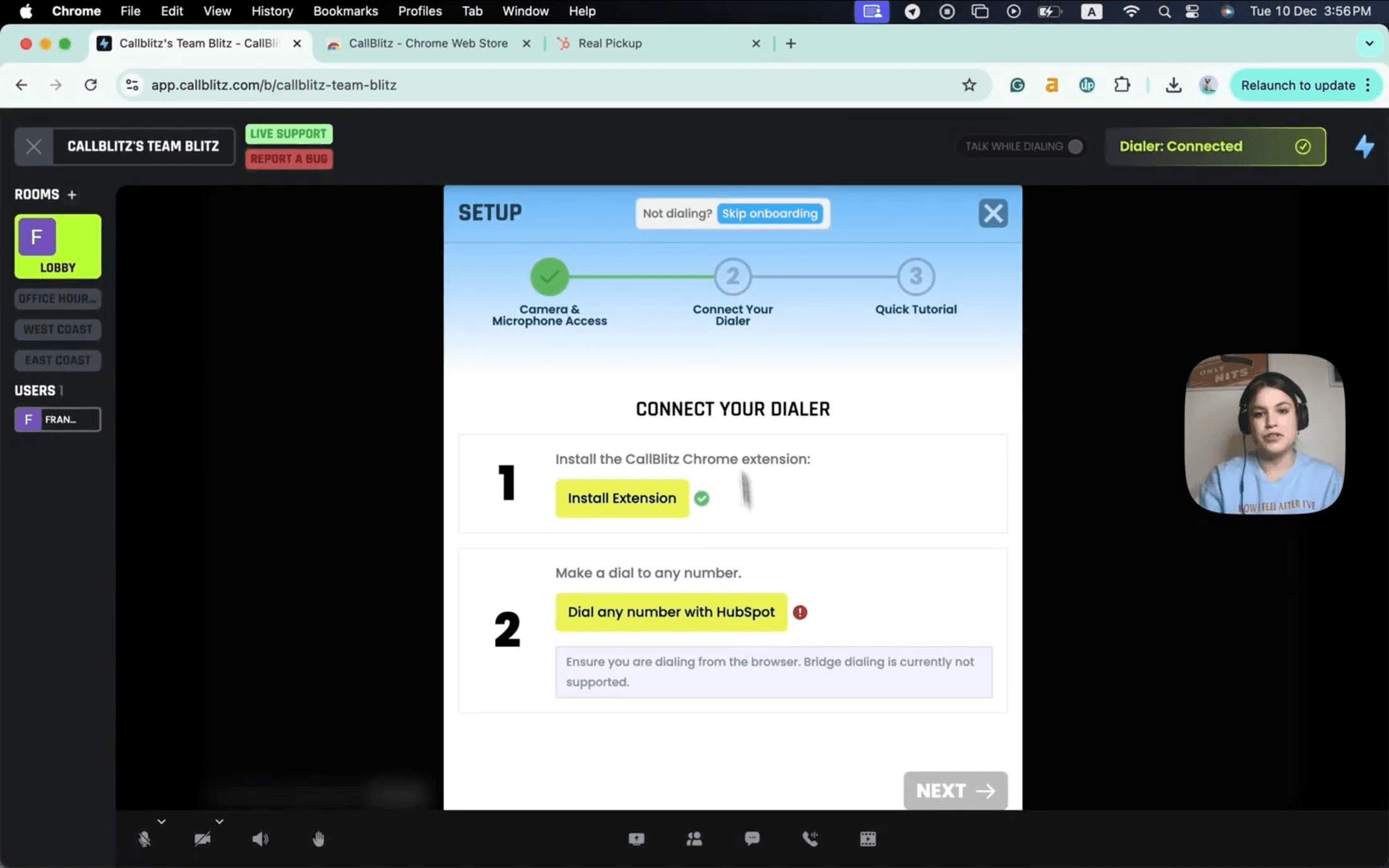
CallBlitz, the $250/mo external dependency — a 3-step Chrome-extension setup just to listen to a single call.
The V1 MVP
Testing the hypothesis with 15 real users.
❝I designed the V1 MVP after doing Contexual Enquiry with real users to establish our baseline. To validate the workflow, I organized a remote usability testing study with 15 active users.
The results were promising but revealing. The MVP scored an Excellent 85 on the System Usability Scale (SUS) with an 81.25% task success rate. However, we also recorded an 18.75% error rate across specific modules. Users were completing tasks in under 15 seconds, but the friction points we did observe were critical to iron out before a full launch.
Pull-out · The V1 MVP
81.25%
MVP Task Success Rate
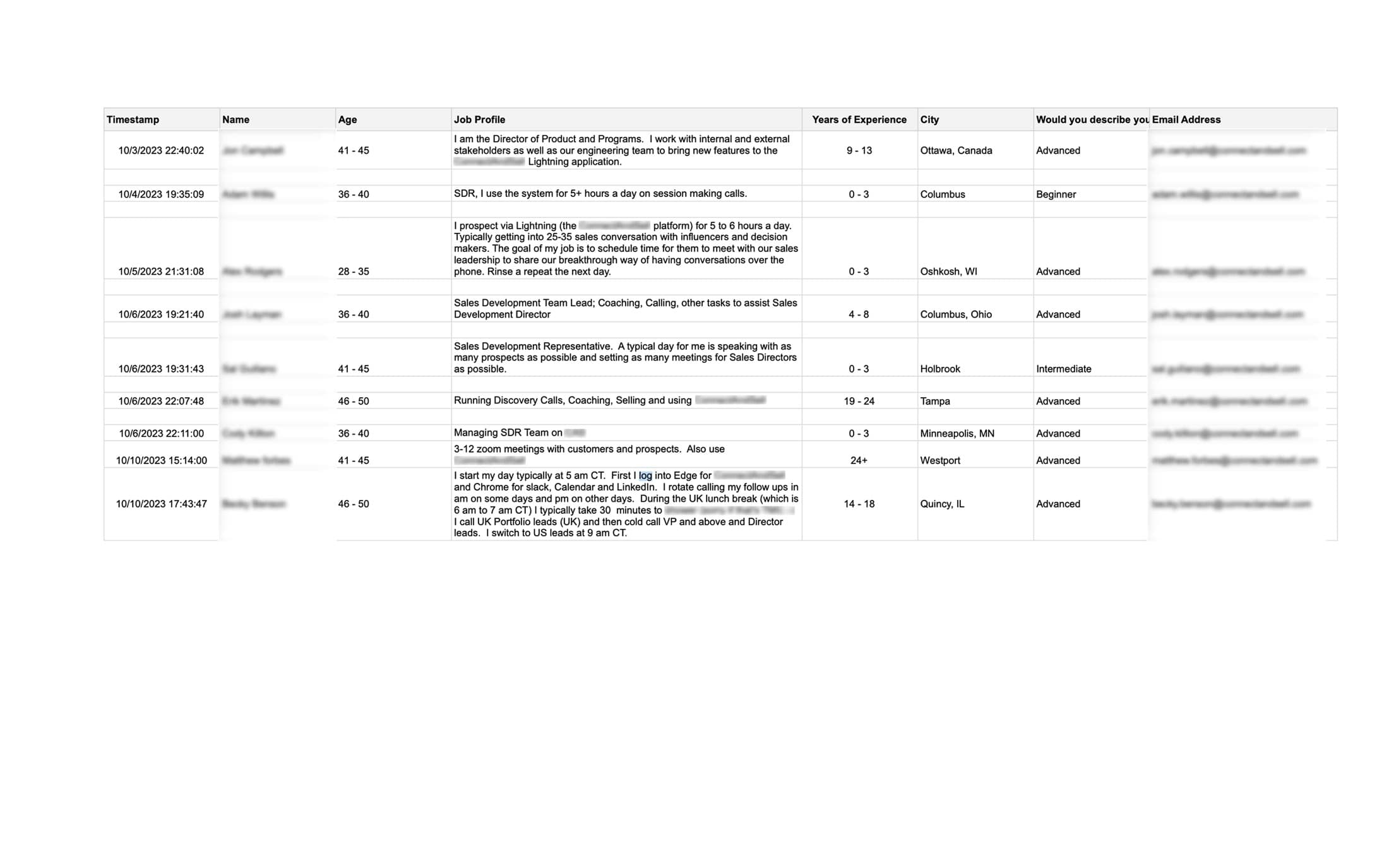
Contextual-inquiry roster — 15 active Salesync users screened across roles, regions, and experience levels before usability testing.
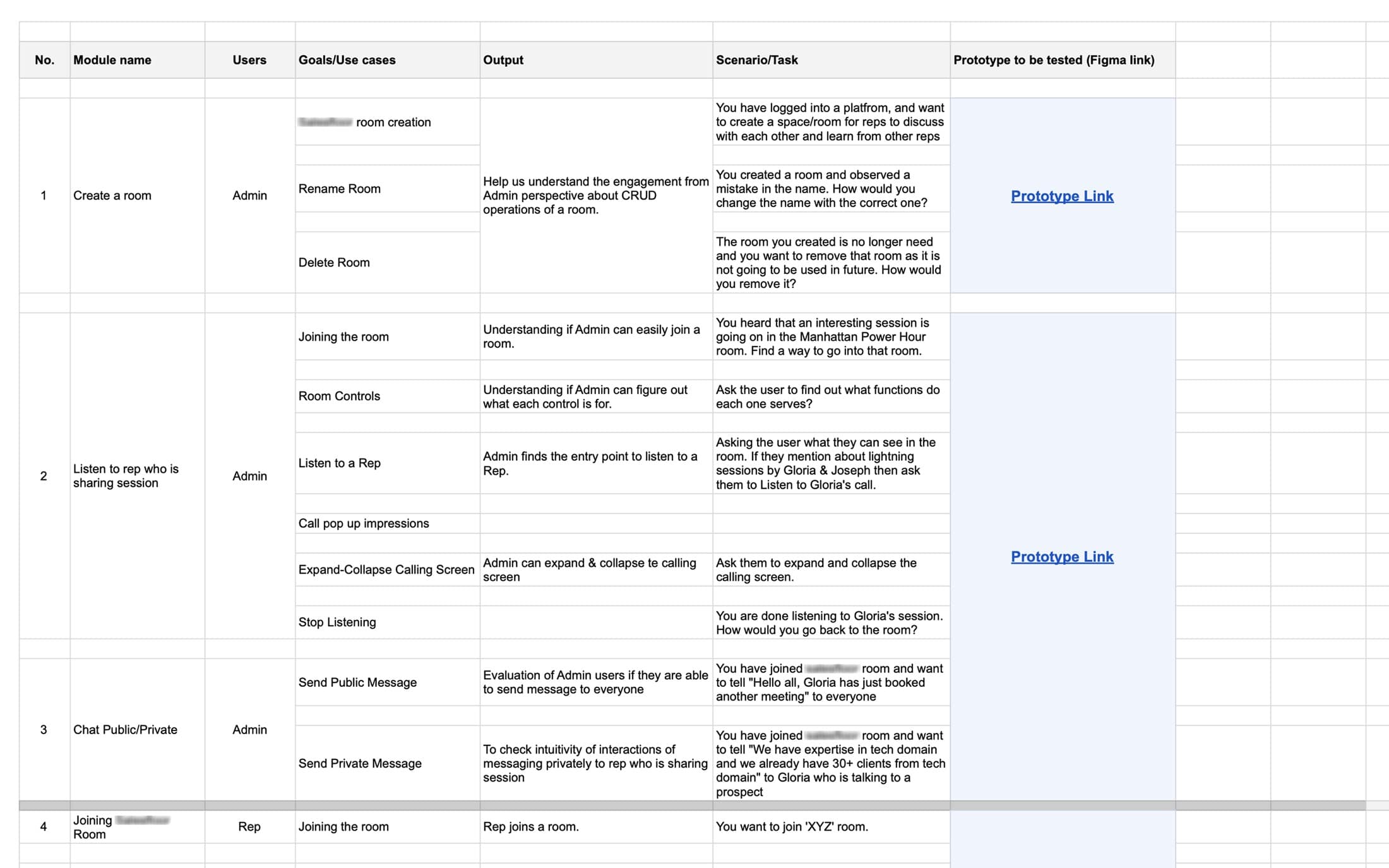
Test protocol — every module mapped to a user goal, a scenario, and a prototype link so success criteria were locked before sessions began.
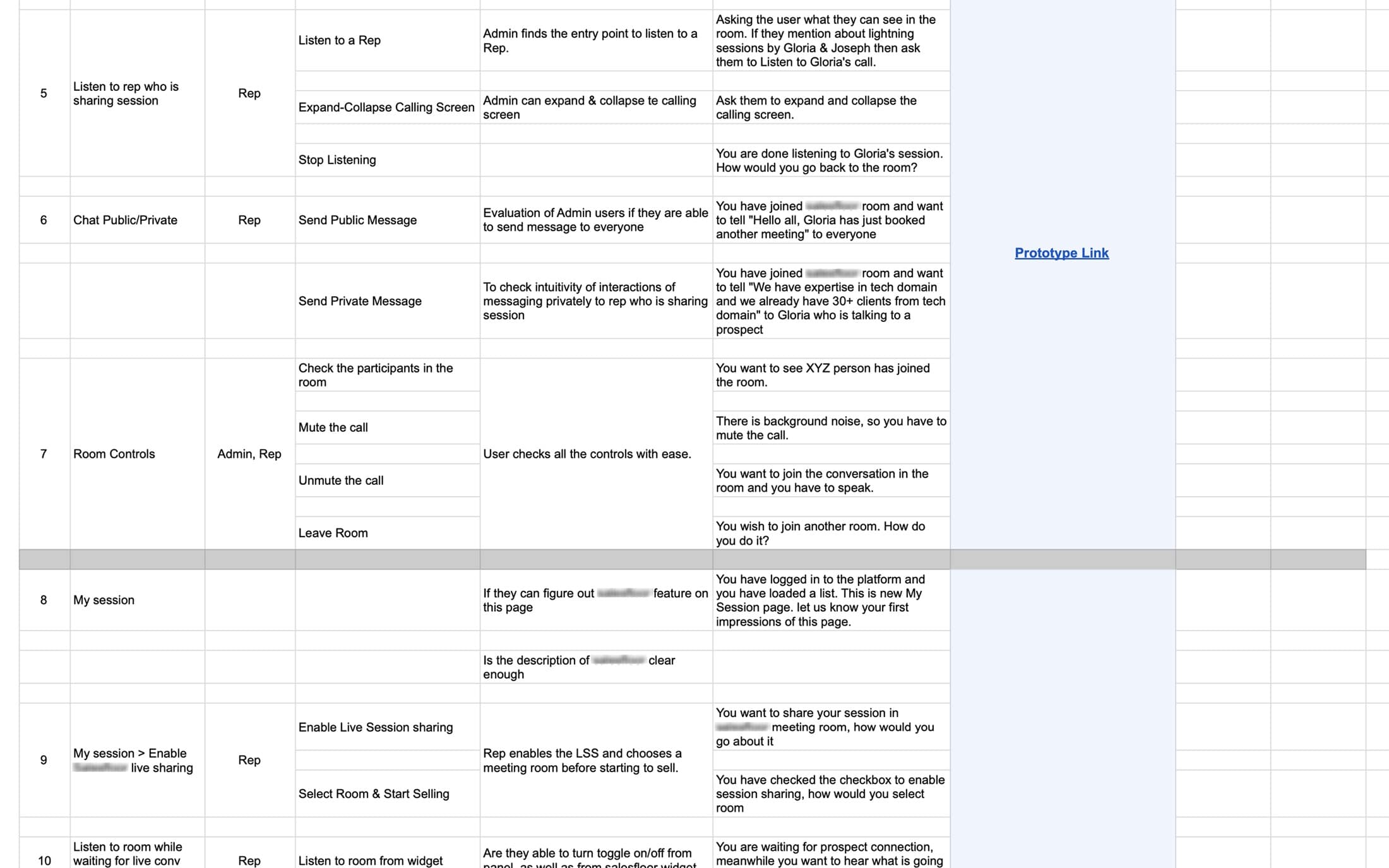
Task scenarios for Admins and Reps — covering room creation, listening flows, expand/collapse, chat, and session sharing.
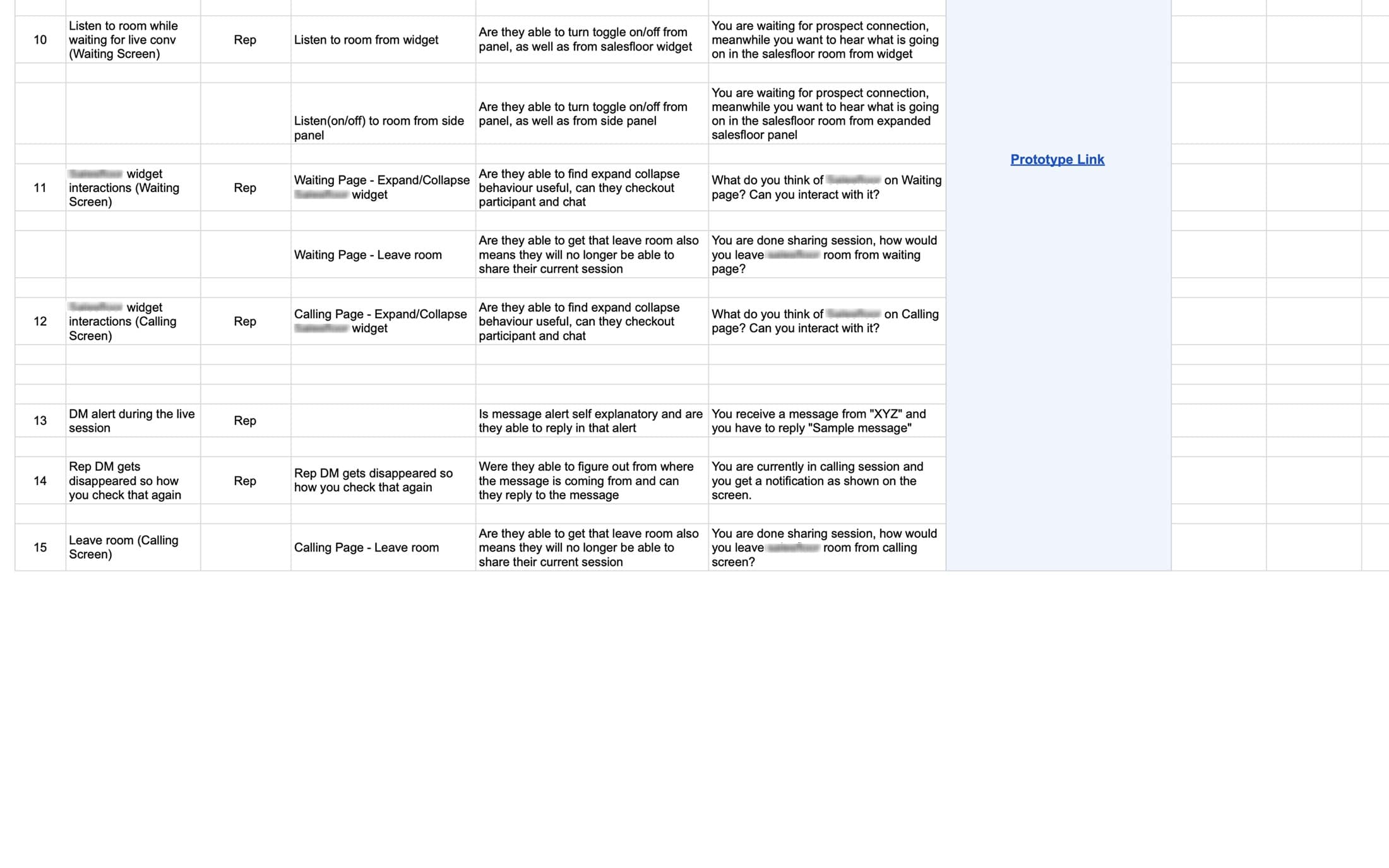
Edge-case tasks — widget panel interactions, calling-page leave behaviors, and DM alert handling during a live session.
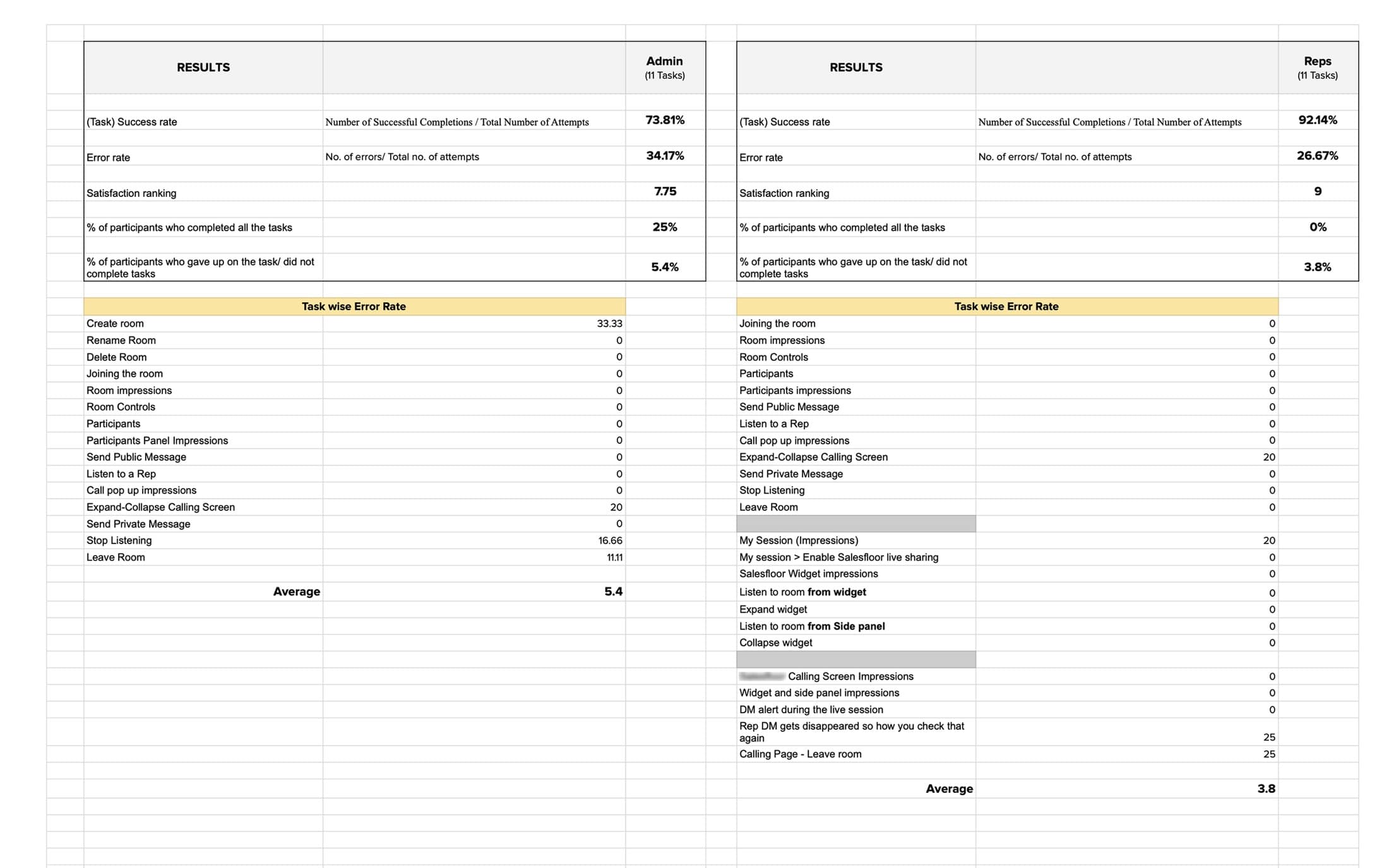
Quantitative results — 85 SUS, 81.25% task success, but Expand-Collapse and Stop Listening surfaced as the two highest error-rate tasks.
The Wall of Truth
Affinity mapping by role.
❝To make sense of the 19% error rate, I took the testing transcripts and built a massive affinity map, strictly separating feedback into 'Admin' and 'Rep' cohorts. This step was vital.
The mapping exposed the mechanical flaws in V1: Users couldn't find the 'Stop Listening' CTA because it was icon-only. The expand/collapse button on the calling screen was causing active confusion. The affinity map became the exact blueprint for what needed to change in V2.
They were mostly UI level improvements.
Pull-out · The Wall of Truth
Admin vs Rep
Role-split affinity mapping
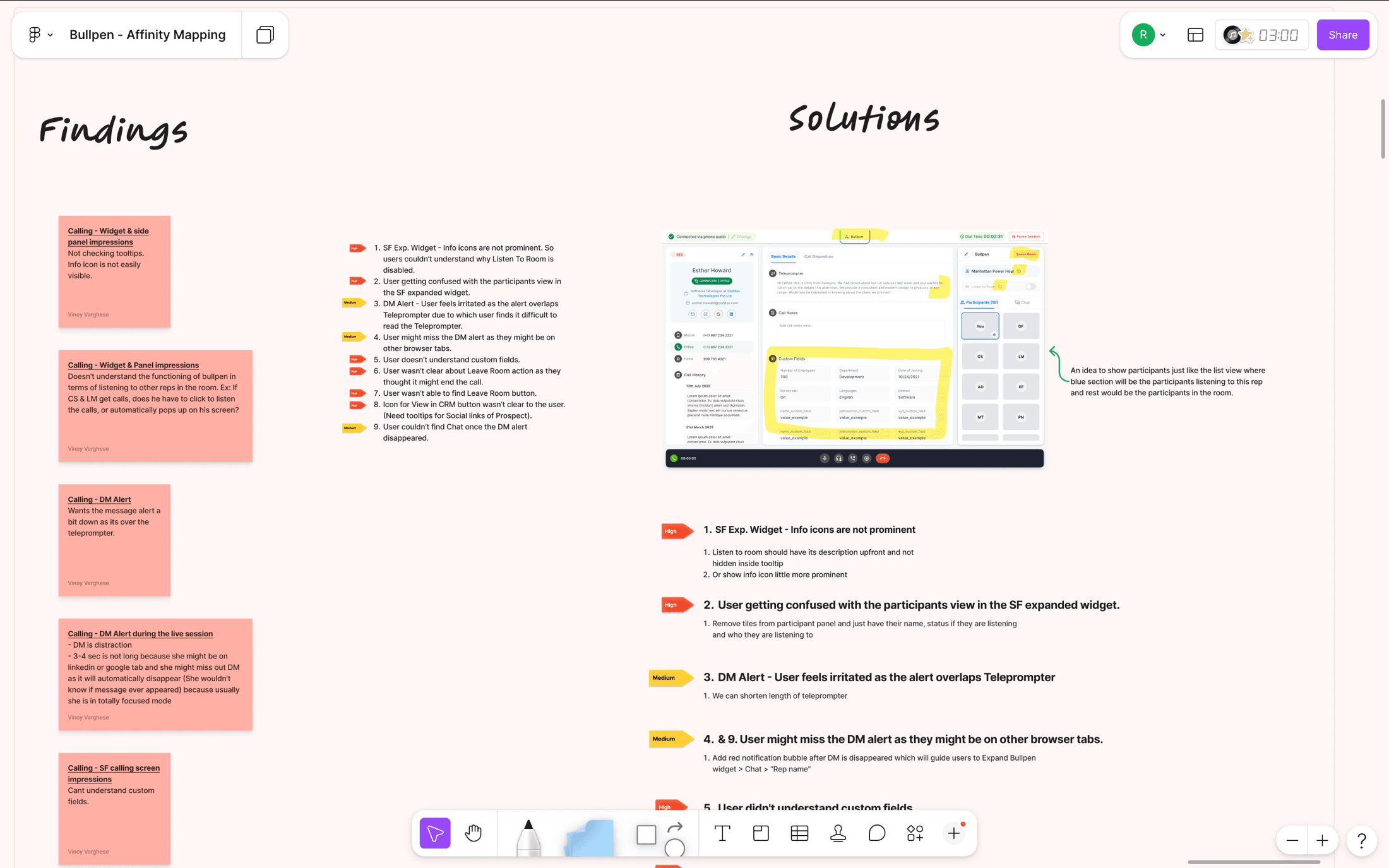
Findings-to-Solutions affinity map — testing transcripts clustered into Admin vs Rep cohorts, with each red sticky tied to a specific UI fix on the right.
The V2 Ship
From 22 clicks to 3.
❝Armed with validated research, we built and shipped V2. We solved the external dependency problem entirely. The brutal 22-click onboarding process was slashed down to just 3 clicks.
V2 introduced auto-added team rooms, fully integrated chat and video, and a persistent widget that kept reps connected across the platform without losing context. I managed the handoff to a 50+ cross-functional engineering team members, maintaining 3 scalable design systems with strict version control to ensure the UI shipped exactly as tested.
Pull-out · The V2 Ship
22 → 3
Onboarding clicks reduced
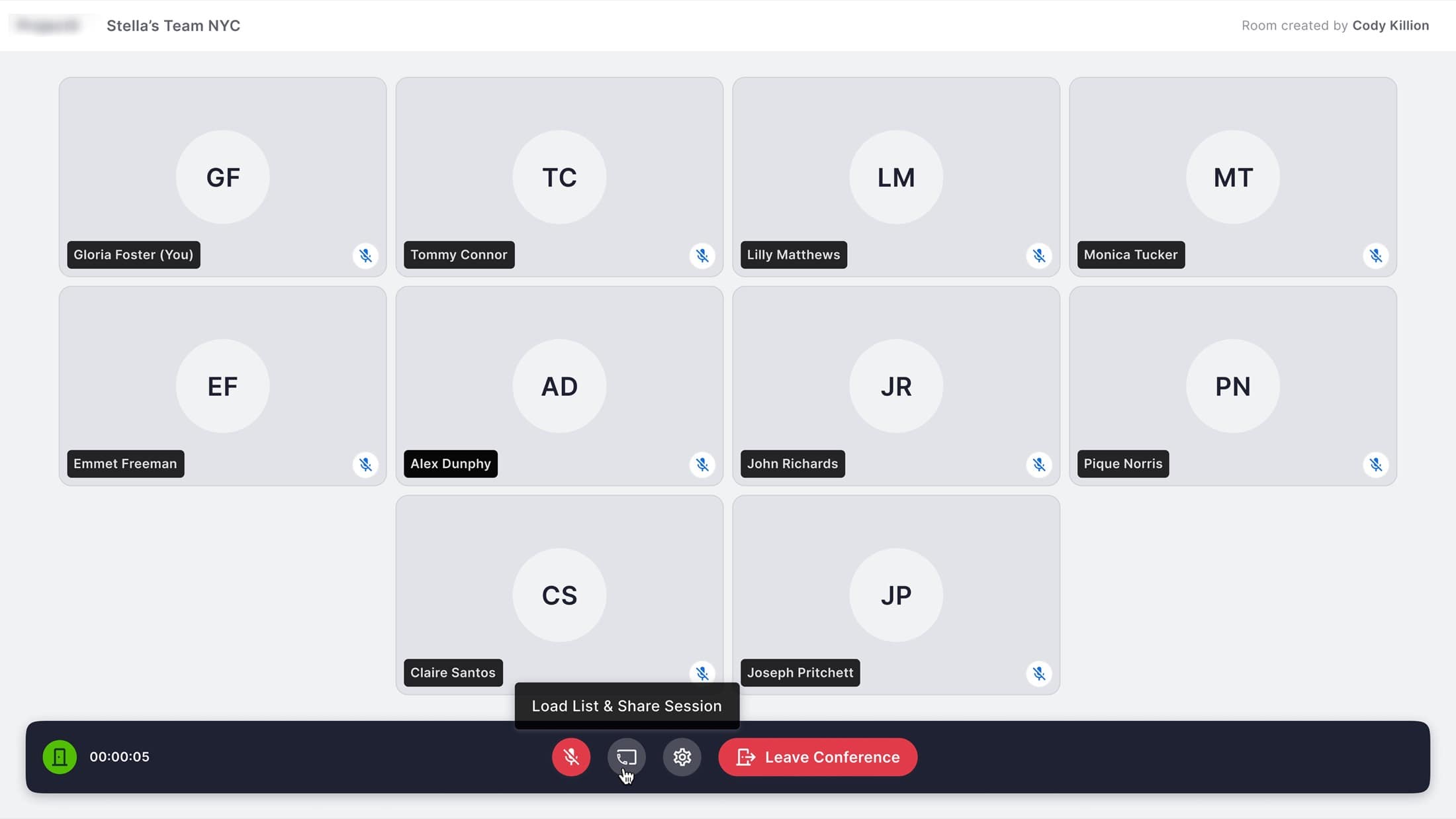
V2 team room — auto-added members, Load List & Share Session built into the call bar so reps stay one click from going live.
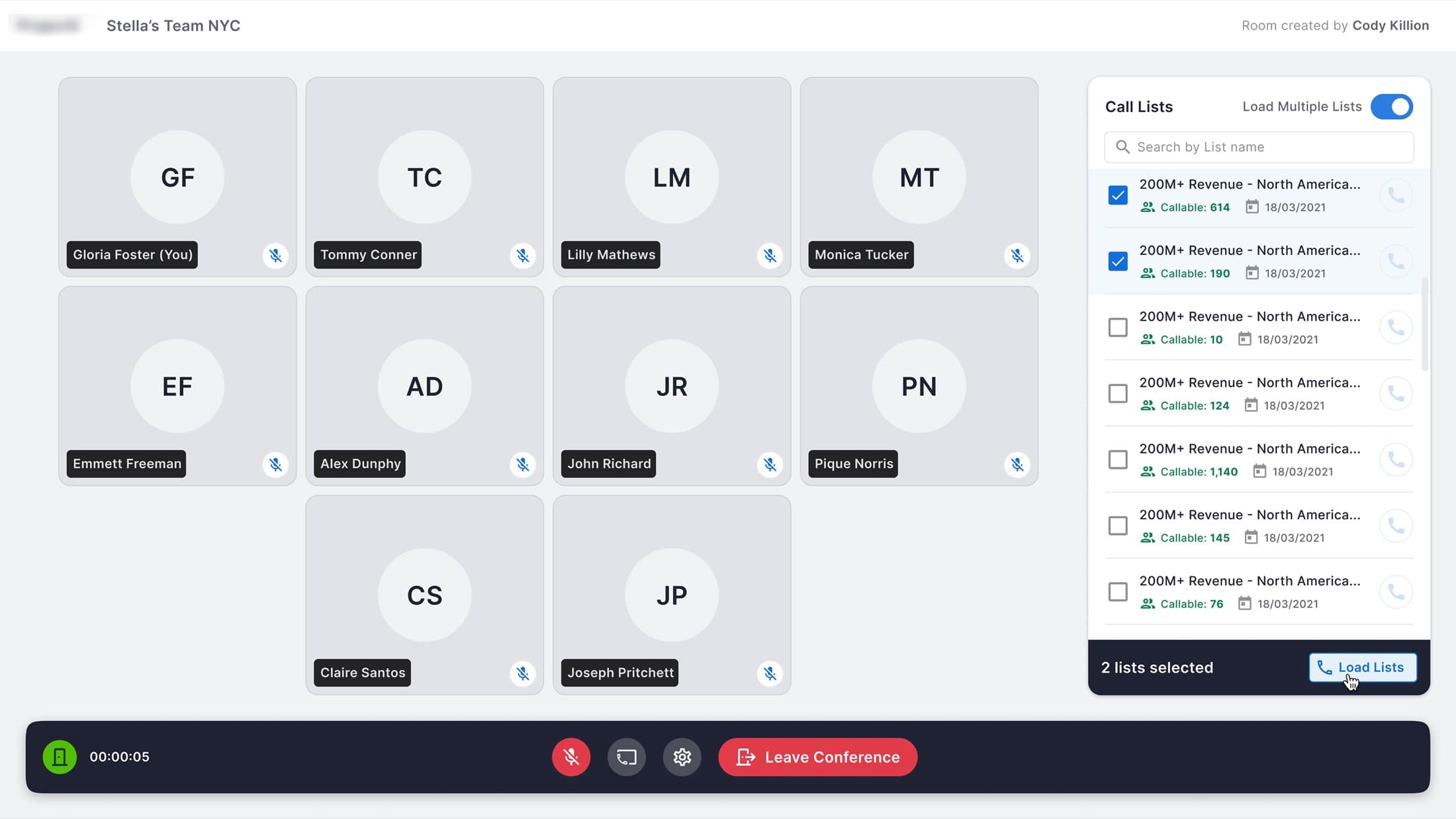
Native multi-list loader inside the team room — replacing the old CallBlitz handoff and collapsing setup from 22 clicks to 3.
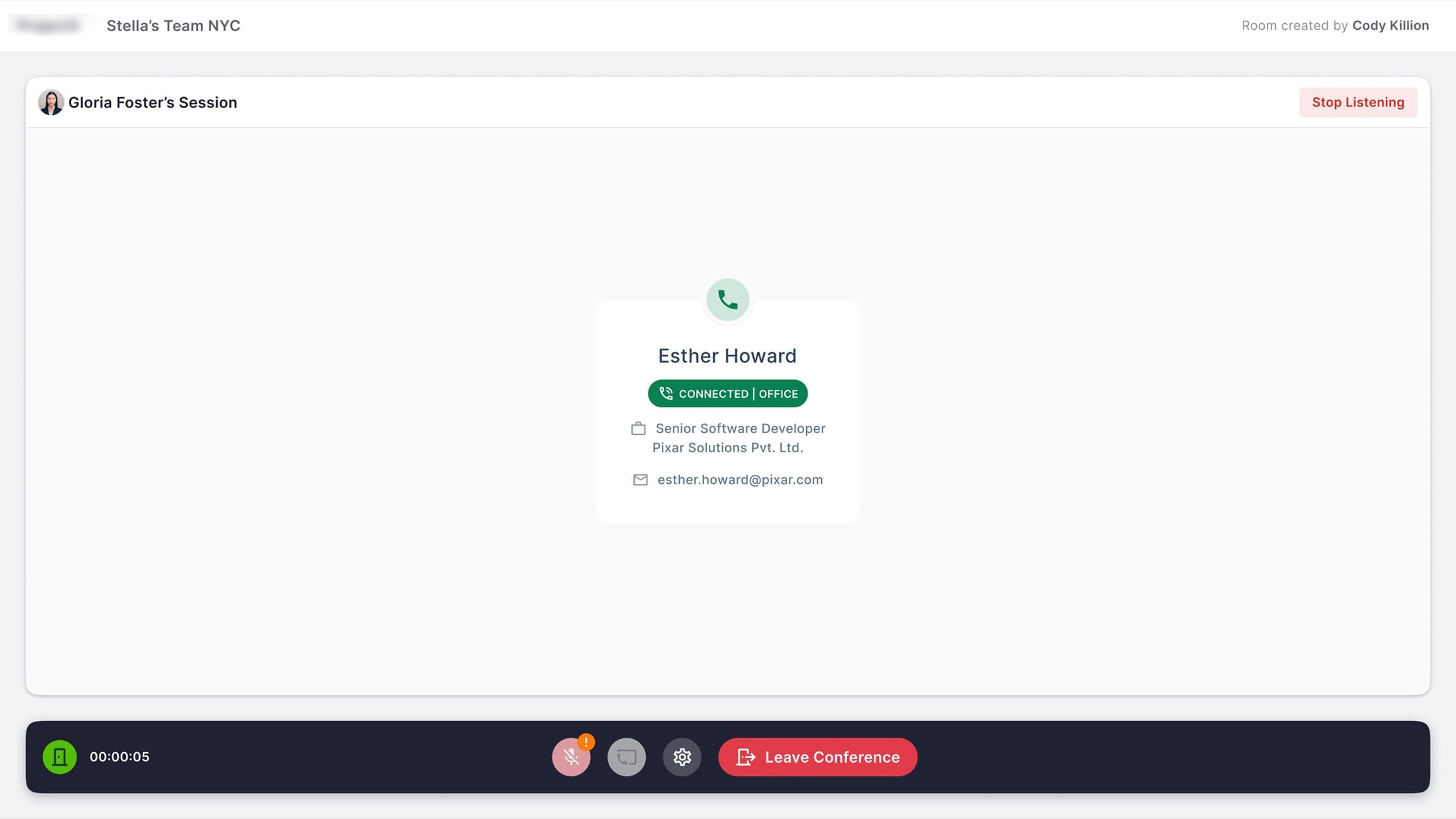
Listening to a peer's live call — the icon-only V1 control became an explicit ‘Stop Listening’ text CTA, closing the largest error gap from testing.
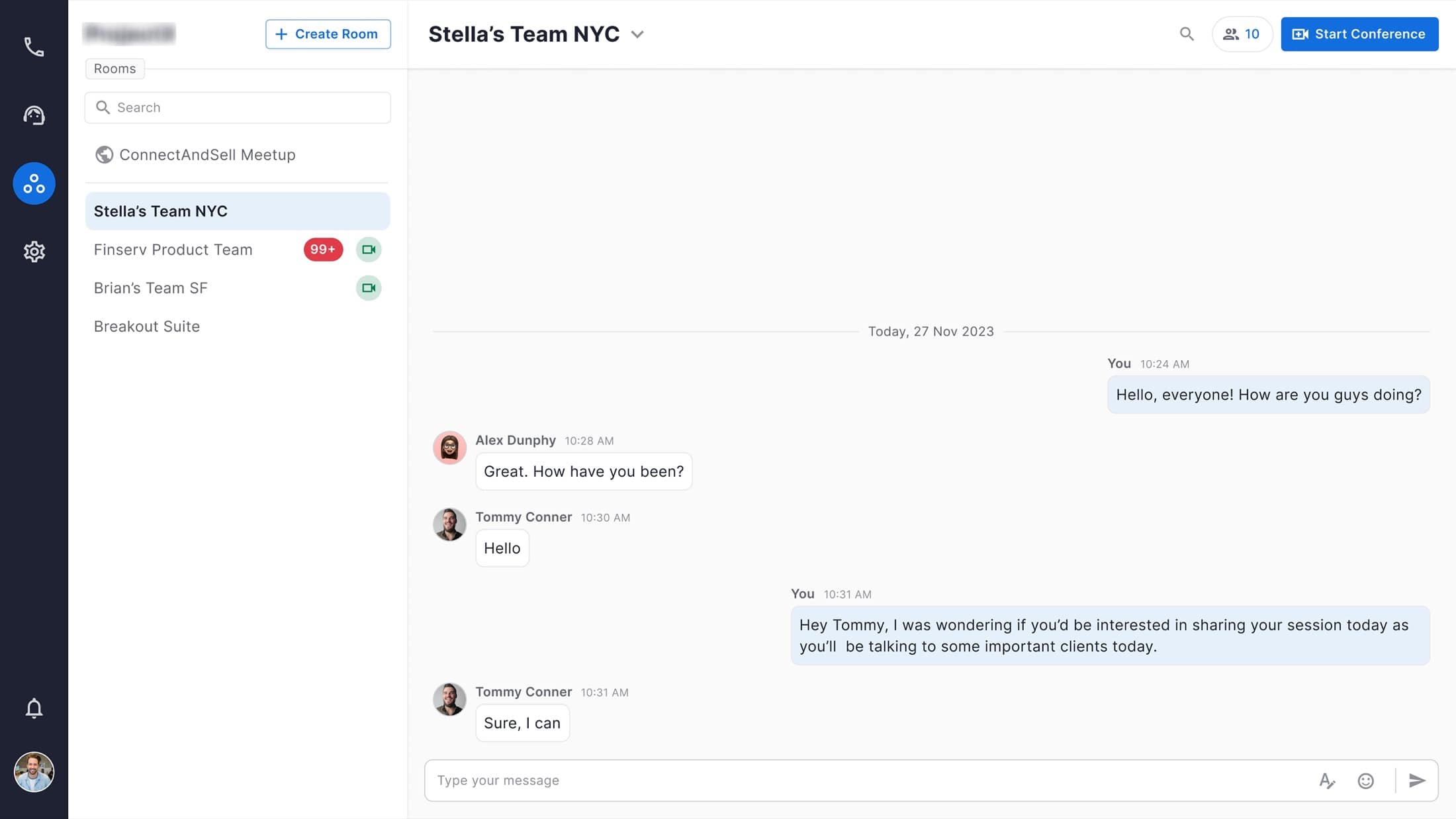
Integrated chat inside team rooms — collaboration, DMs, and call sharing now live in one surface instead of three separate tools.
The V3 Concept
A modern 2026 architectural evolution.
❝After concluding my tenure at Coditas in early 2025, I took a technical sabbatical to deepen my frontend engineering skills. As part of refreshing my portfolio in 2026, I returned to Bullpen to conceptualize V3.
V3 leaves behind the older visual language in favor of a 'Modern 2026 Productized' aesthetic. It features a strict dark-mode implementation, minimalist luxury, and high-performance component structures. It represents how I bridge the gap between high-end Figma design systems and production-ready code architecture today.
Pull-out · The V3 Concept
2026
Conceptual Refresh
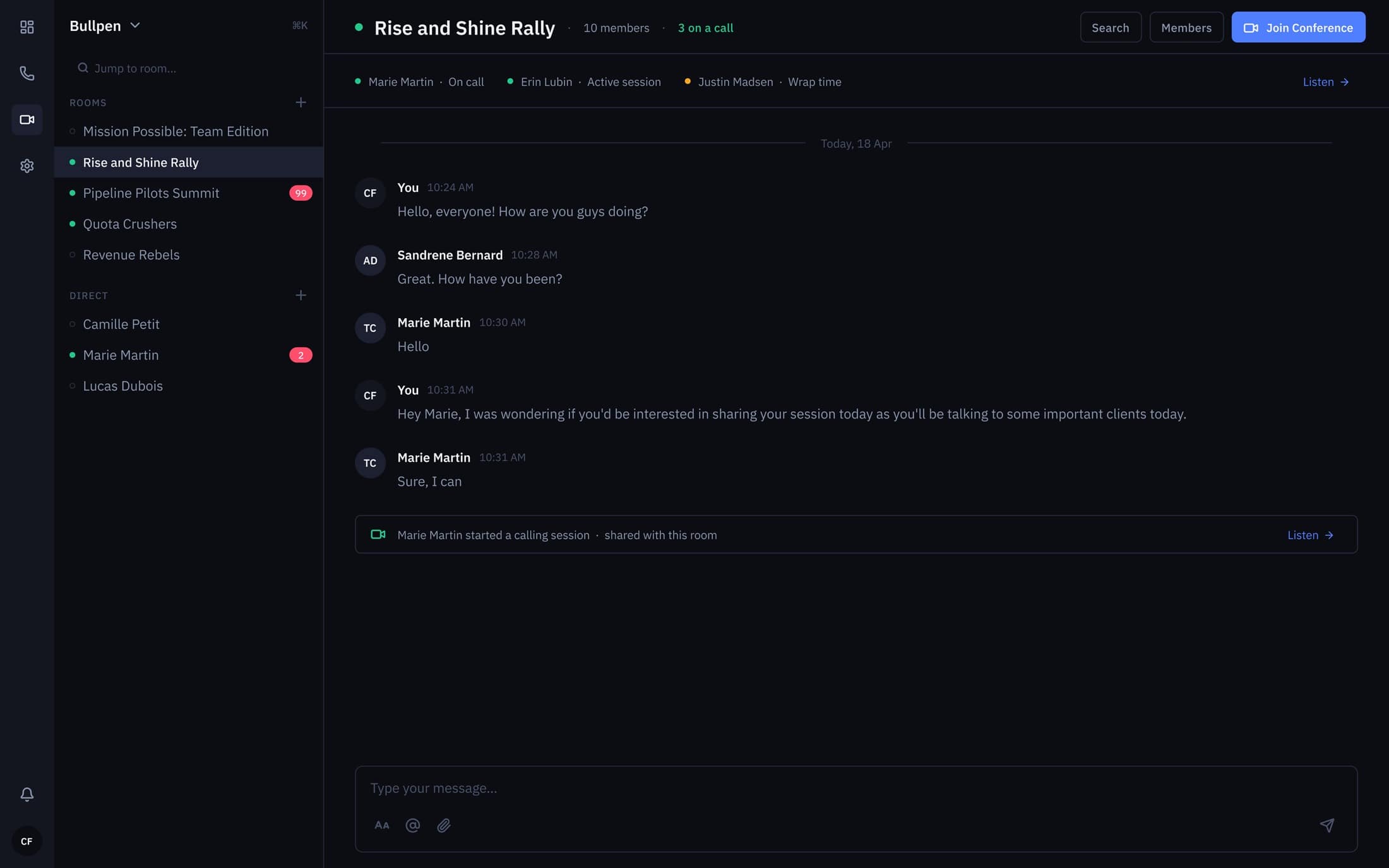
V3 team room — dark-first hub with live status pills (On call · Active session · Wrap time) replacing V2's flat presence dots.
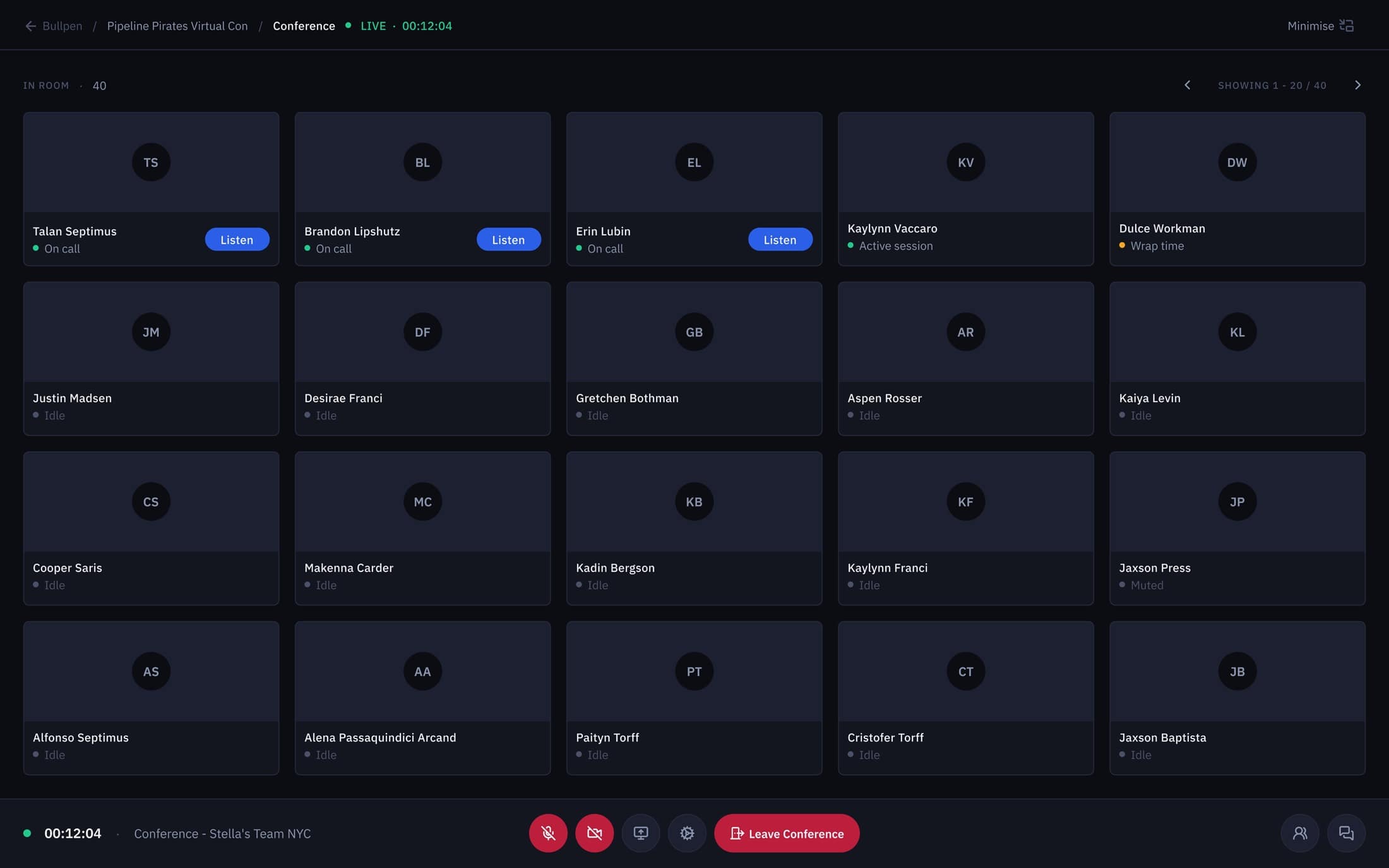
V3 conference grid — 40-rep view with per-tile state and one-click ‘Listen’ pushed into the card, not buried in a menu.
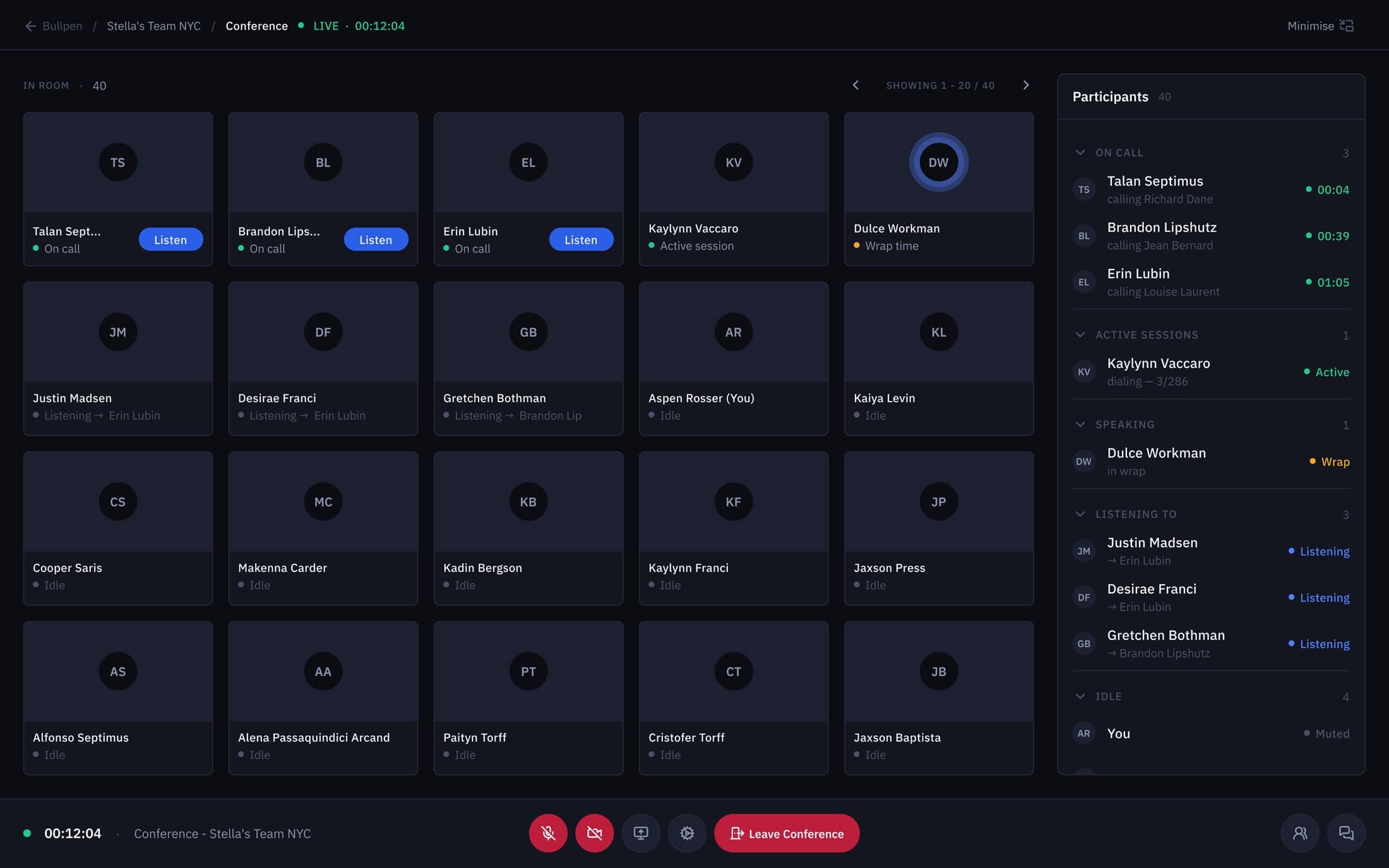
Participants panel — On call, Active sessions, Speaking, Listening, and Idle grouped so admins can read the floor at a glance.
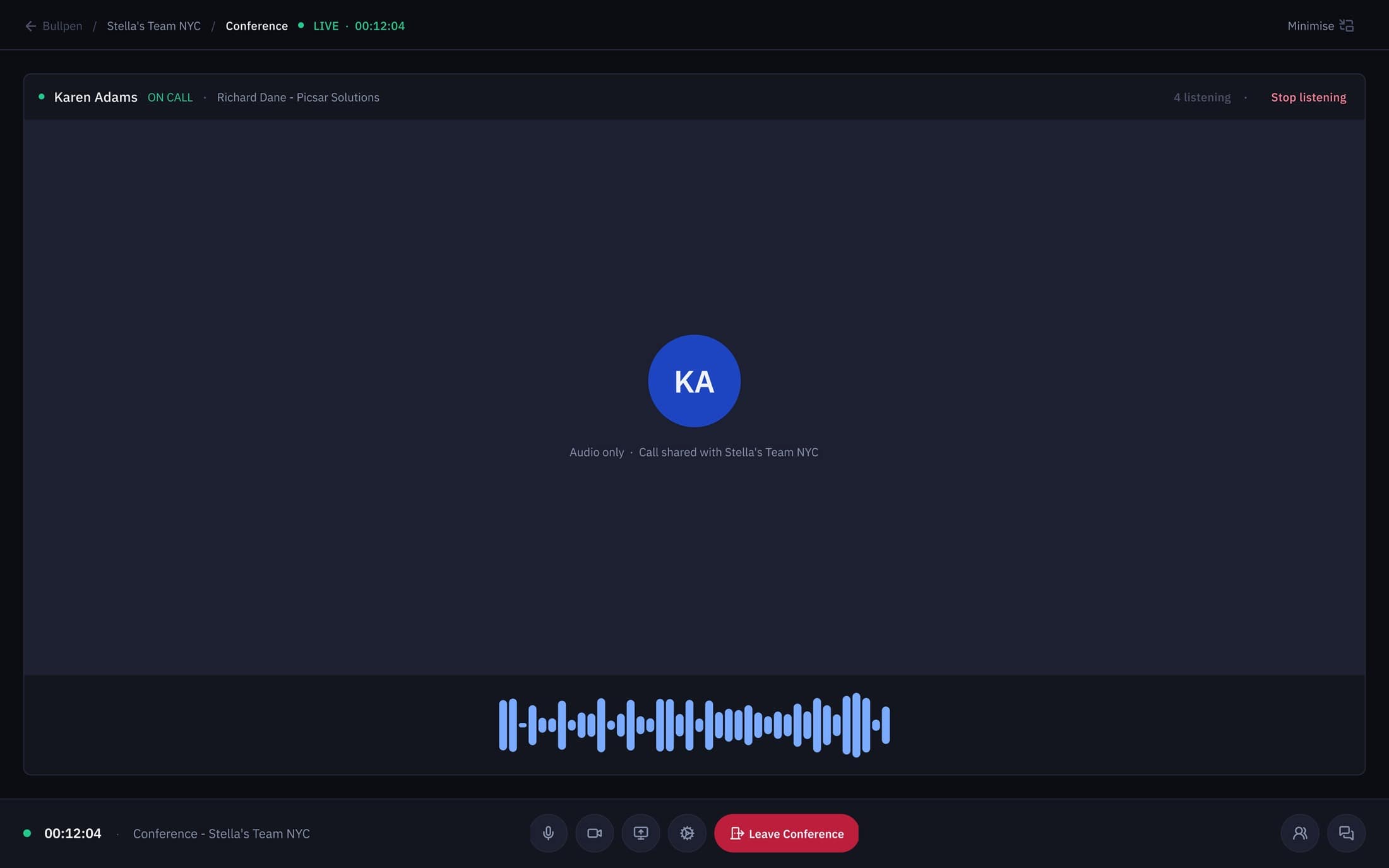
Audio-only listening view — waveform plus role context so coaches monitor without breaking the rep's focus.
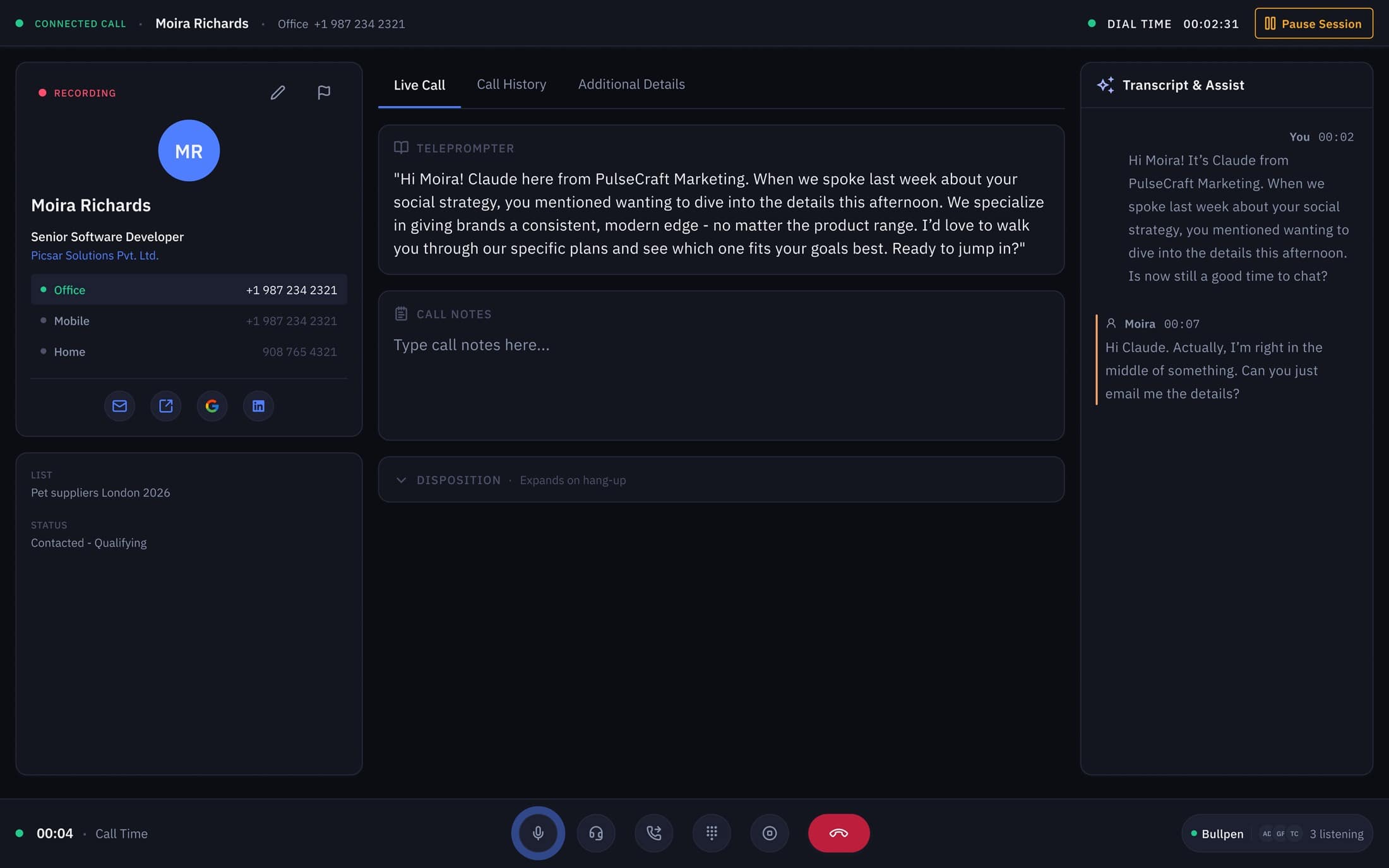
Live call workspace — contact card, teleprompter, and the AI Transcript & Assist panel rendered in one production-ready dark layout.
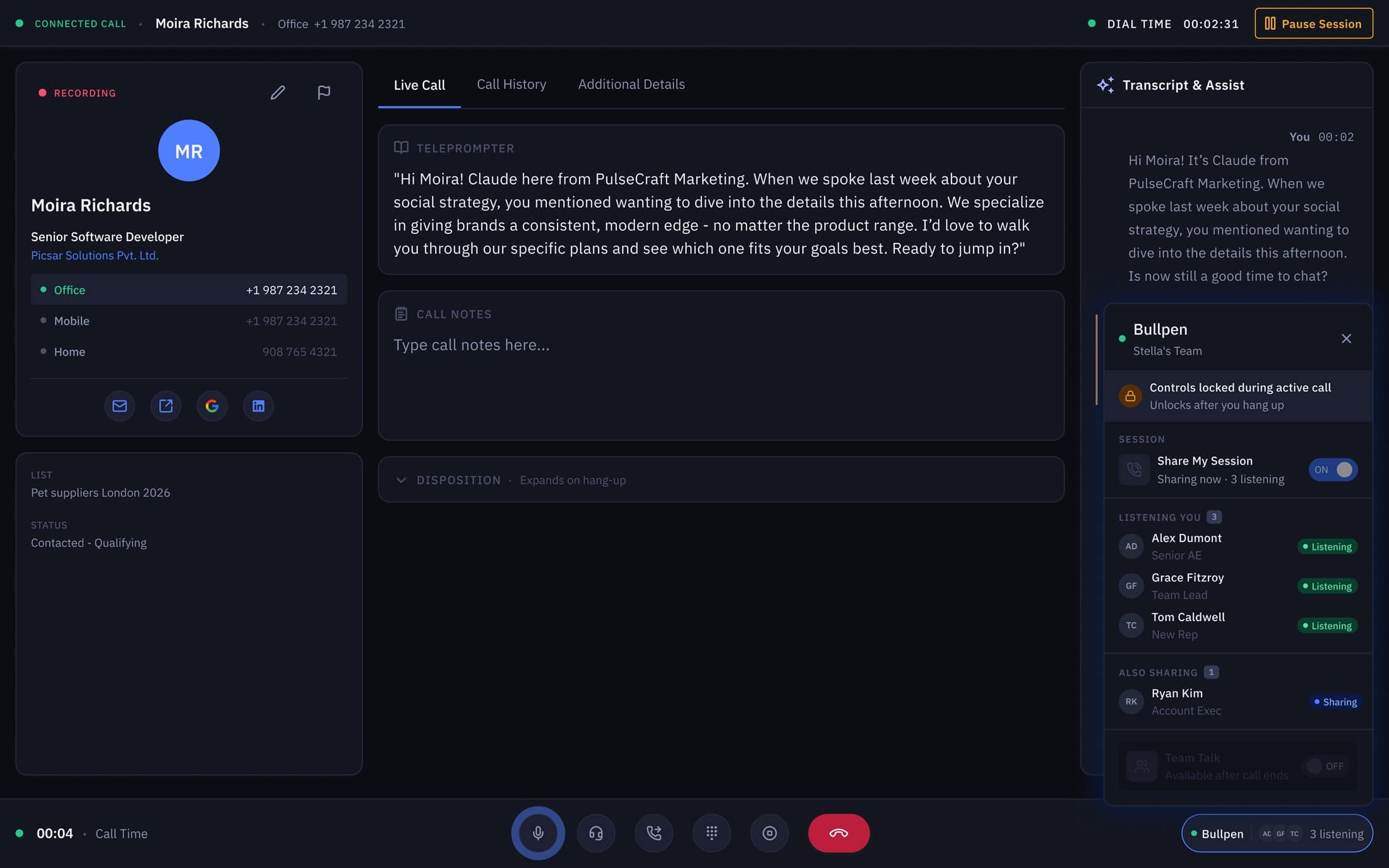
Persistent room widget — Bullpen sidebar shows who's listening to you in real time, the cross-screen continuity V2 only hinted at.
Reflection
Designing for the edge cases.
❝Shipping V2 taught me that designing for live, synchronized products means designing for failure states. Co-creating error handling patterns with developers—like what happens when a network drops mid-call—was just as crucial as the 'happy path' UI.
If I were to run the V1 to V2 cycle again, I would mandate stricter annotation and handoff templates from Day 1 to reduce developer queries late in the cycle. V3 reflects this growth: it's not just a visual update, but a system designed with code-aligned component architecture in mind.
Now it has easier color coded inputs to reduce further cognitive load, improved &clean system statuses, in-depth view for admins to know status of each rep
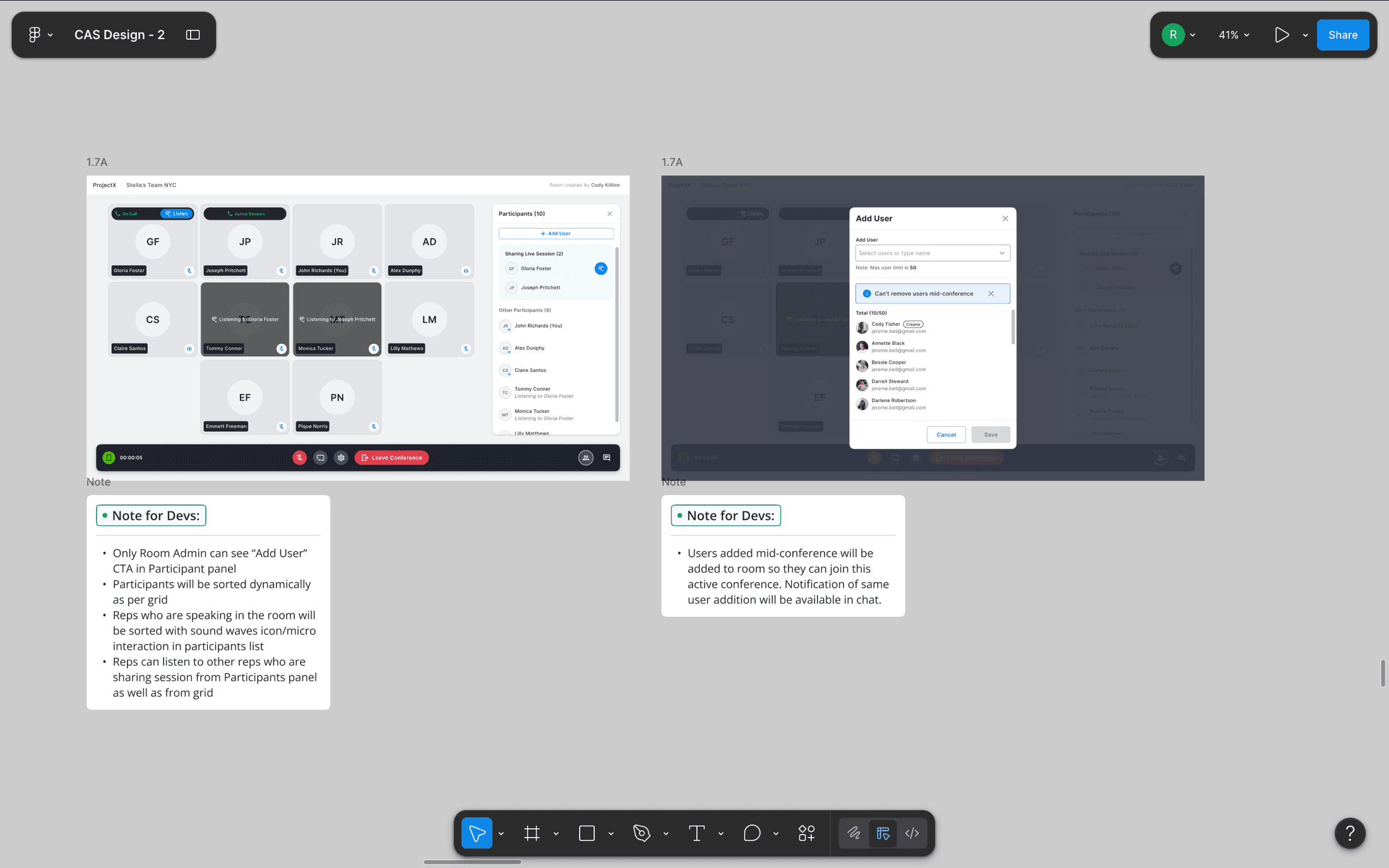
Annotated handoff frames — sort behavior, permissions, and live-update rules written next to the pixels so a 50-person eng team could ship without back-channel questions.
01. I designed the native V2 that slashed a 22-click onboarding flow down to 3. In 2026, I evolved the architecture into V3—a modern, productized concept.
Want this kind of work on your team?